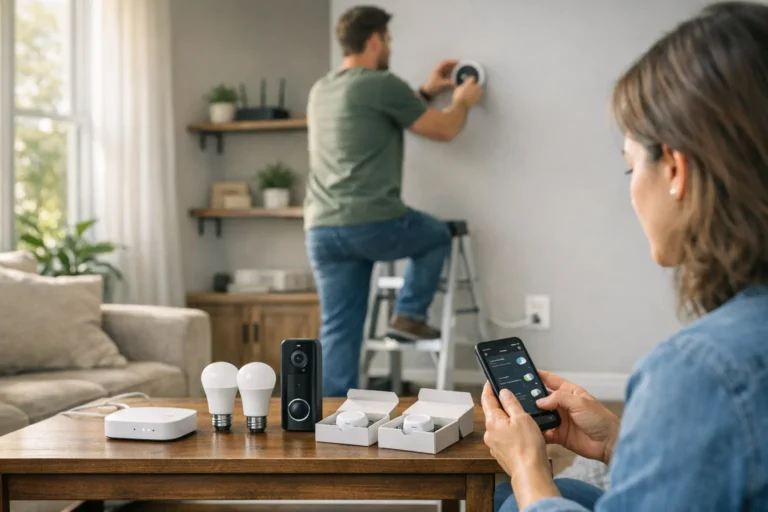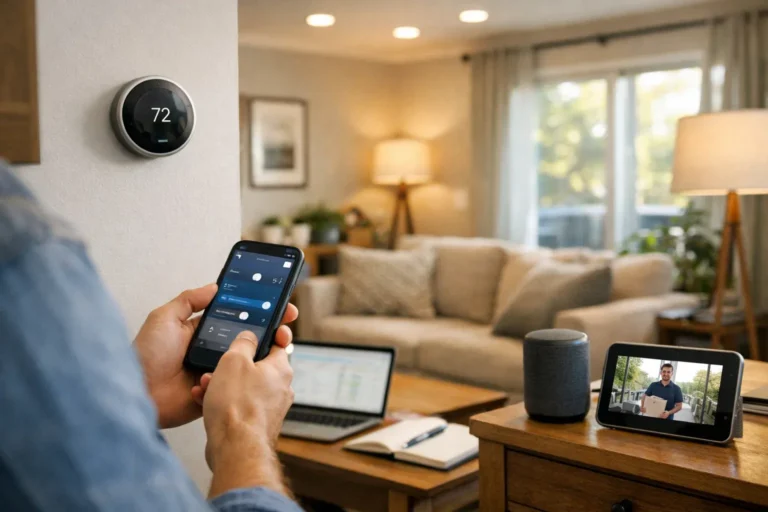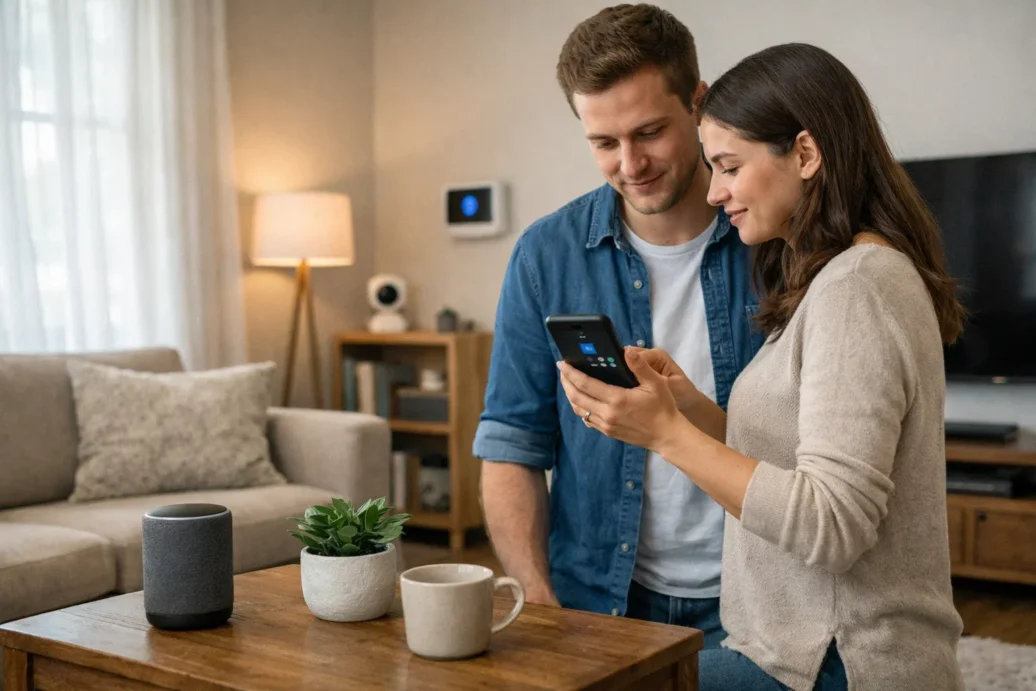
Getting started with a smart home can feel like a huge, technical challenge. When I first dipped my toes in, I was worried about complex wiring, confusing apps, and a massive bill. But the truth is, building a helpful and convenient smart home is more accessible and affordable than ever. Modern smart home automation systems for beginners are designed to be simple, starting with just one or two devices that can make a real difference in your daily life.
This guide is for anyone who is curious about smart home technology but doesn’t know where to begin. We’ll skip the confusing jargon and focus on practical steps. I’ll walk you through the entire process, from understanding the basics to choosing your first devices and setting up automations that genuinely make life easier. Think of it as a friendly conversation, sharing what I’ve learned from my own experience.
Here’s what you can expect to learn:
- What a smart home system actually is and how the pieces work together.
- The best and easiest devices to start your smart home journey with.
- A step-by-step guide on setting up your system and creating your first automations.
- Honest advice on costs, common mistakes to avoid, and future-proofing your setup.
By the end, you’ll have the confidence to build a smart home that fits your life and your budget, without the overwhelm.
Quick Overview
Smart home automation systems for beginners connect various devices in your home, allowing them to be controlled remotely via an app or voice commands. These systems enable you to automate routine tasks, such as adjusting lights and thermostats, to improve convenience, security, and energy efficiency without needing deep technical knowledge.
Table of Contents
- What Is a Smart Home Automation System and How Does It Work?
- Best Smart Home Devices for Beginners (Start Simple in 2026)
- How to Set Up a Smart Home System Step by Step
- Smart Home Automation Ideas for Beginners
- Smart Hub vs No Hub – What Beginners Should Choose
- Pros and Cons of Smart Home Automation Systems for Beginners
- Common Mistakes Beginners Make (And How to Avoid Them)
- How Much Does a Beginner Smart Home Cost in the USA?
- DIY vs Professional Installation – Which Is Better for Beginners?
- Security, Privacy & Data Protection in Smart Homes (2026 Update)
- How to Expand Your Smart Home in the Future
- Conclusion – Is Smart Home Automation Worth It for Beginners?
- FAQ – Smart Home Automation Systems for Beginners
What Is a Smart Home Automation System and How Does It Work?
At its core, a smart home is simply a home equipped with devices that can be controlled remotely over the internet. The “automation” part is what makes it truly smart. Instead of just turning a light on with your phone, you can have it turn on automatically when you walk into the room. It’s about making your home work for you.
Core Components
A system might sound complicated, but it usually boils down to just a few key parts. You have the smart devices themselves, like bulbs or plugs. Then there’s your home’s WiFi network, which connects them. Some setups use a smart hub, a central brain that helps devices talk to each other more efficiently using protocols like Zigbee, Z-Wave, or the increasingly popular Matter. Finally, you have a mobile app, like the Alexa or Google Home app, which is your command center.
Automation vs Manual Control
Manual control is using your phone as a fancy remote. For example, opening an app to turn off a light you forgot. It’s useful, but it’s not automation.
Automation is where the magic happens. It’s about setting up rules so things happen without you even thinking about it. This is done through scheduling (e.g., “Turn on the porch light at sunset”), triggers (e.g., “When my phone’s location detects I’ve left home, lower the thermostat”), or routines, which bundle multiple actions together (e.g., a “Good Morning” routine that turns on lights, starts the coffee maker, and plays the news).
Best Smart Home Devices for Beginners (Start Simple in 2026)
The key to not getting overwhelmed is to start small. You don’t need to automate your entire house overnight. From my experience, picking one or two of the best smart home devices for beginners from the list below is the perfect first step.
- Smart Speakers (Alexa / Google): These are the natural starting point. They act as a voice-controlled remote for your other devices and can answer questions, play music, and set timers. They make your smart home feel truly interactive.
-
- Why it’s beginner-friendly: Setup is as simple as plugging it in and connecting to WiFi via an app.
- Average US price range: $30 – $100.
- Ease of installation: Very easy.
- Practical use case: Ask for the weather while you get ready, or say “Alexa, turn off the living room lights” from your couch.
- Smart Bulbs: These are a game-changer. You can change not just the brightness but often the color, too.
-
- Why it’s beginner-friendly: If you can screw in a lightbulb, you can install one of these.
- Average US price range: $10 – $25 per bulb.
- Ease of installation: Very easy.
- Practical use case: Schedule your bedroom lights to fade on slowly in the morning for a gentle wake-up call.
- Smart Plugs: These make almost any small appliance “smart.” Just plug the device into the smart plug, and the plug into the wall.
-
- Why it’s beginner-friendly: No wiring needed. It’s a plug-and-play solution.
- Average US price range: $10 – $20 per plug.
- Ease of installation: Very easy.
- Practical use case: Connect your coffee maker and have it start brewing automatically five minutes before your alarm goes off.
- Smart Thermostats: These learn your schedule and preferences to automatically adjust the temperature, saving energy and money.
-
- Why it’s beginner-friendly: Most come with excellent step-by-step app instructions. Basic installation is often a 30-minute job.
- Average US price range: $100 – $250.
- Ease of installation: Moderate. May require turning off power at the breaker.
- Practical use case: It automatically lowers the heat or AC when you leave the house and brings it back to a comfortable temperature before you return.
- Smart Security Cameras & Video Doorbells: These provide peace of mind, letting you see what’s happening at home from anywhere.
-
- Why it’s beginner-friendly: Many are now battery-powered, eliminating the need for wiring.
- Average US price range: $50 – $200.
- Ease of installation: Easy to moderate, depending on wired vs. wireless.
- Practical use case: Get a notification on your phone when a package is delivered and even speak to the delivery person through the device.
How to Set Up a Smart Home System Step by Step
Thinking about how to set up a smart home system is often the biggest hurdle for beginners. I’ve noticed that people get stuck thinking they need a grand, all-encompassing plan. The reality is much simpler if you follow a few basic steps.
Step 1 – Choose Your Ecosystem
Your ecosystem is the “team” your devices will play for. This ensures they can all communicate easily. The most popular choices are Amazon Alexa, Google Home, and Apple HomeKit. I recommend picking the one you might already be familiar with. If you use an Android phone and Google services, Google Home is a natural fit. If you’re an Amazon Prime member, Alexa is a great choice.
Step 2 – Start with 2–3 Devices
Don’t buy a dozen different gadgets at once. It’s the fastest way to get frustrated. I started with a smart speaker (an Echo Dot) and a single smart plug for a lamp in my living room. This allowed me to learn the basics of the app and voice commands without any pressure. A speaker, a bulb, and a plug are a perfect starting trio.
Step 3 – Create Your First Automation
This is the fun part where you see the real value. Open your chosen app (Alexa, Google Home, etc.) and look for the “Routines” or “Automations” section. Don’t try to build something complex.
- Example 1: Morning Routine. Create a routine triggered by you saying “Hey Google, good morning.” The action could be: your smart bulb turns on, your smart plug starts the coffee maker, and the speaker tells you the weather forecast.
- Example 2: Night Security Mode. Create a routine that runs at 11 PM every night. The action could be: ensures your smart lock is locked and turns off all connected smart lights.
Step 4 – Test and Expand
Live with your simple setup for a week or two. What works best is getting a feel for how you use it. You’ll quickly identify small annoyances or new opportunities. Maybe you wish the lamp in the hallway was also smart. That’s your cue to add another device. Grow your system organically based on your actual needs.
Smart Home Automation Ideas for Beginners
Need some inspiration? Here are some simple yet powerful smart home automation ideas that are perfect for beginners in US homes.
- “Sunset Lighting”: Have your porch and living room lights automatically turn on at sunset each day. You never have to come home to a dark house again.
- “Goodbye” Geofence: Set up a routine that uses your phone’s location. When it detects you’ve left a certain radius around your home, it can automatically lower the thermostat, turn off all the lights, and make sure the front door is locked.
- Automatic Door Locking: Have your smart lock automatically lock itself every night at 11 PM or 30 minutes after you’ve closed the door. This is a huge peace-of-mind upgrade.
- Morning Coffee Ritual: As mentioned, connect a standard drip coffee machine to a smart plug. Schedule it to turn on at 6:55 AM, so the coffee is freshly brewed by the time your 7:00 AM alarm goes off.
- Motion-Based Lighting: Place a motion sensor in a hallway, laundry room, or closet. Create an automation so the light turns on when you enter and, just as importantly, turns off after a few minutes of no motion.
- Energy-Saving Automation: Create a rule that if a window with a smart sensor is opened, the smart thermostat automatically turns off the HVAC system to avoid wasting energy.
Smart Hub vs No Hub – What Beginners Should Choose
This question comes up a lot. A smart hub is a dedicated device that acts as a central translator for all your smart gadgets. Devices that use protocols like Zigbee or Z-Wave require one.
Hub-Based Systems
A hub-based system is generally more powerful. It creates its own dedicated network for your smart devices, which can be more reliable and faster than clogging up your home’s WiFi. It also unlocks more complex automation possibilities. What works best for long-term scalability is often a hub.
Hub-Free Systems
Most beginner-friendly devices today are hub-free and connect directly to your WiFi. This is by far the easiest way to start. The setup is simpler, and the initial cost is lower since you don’t need to buy an extra piece of hardware. This is a great choice for those living in apartments or who only plan to have a handful of devices.
|
Feature |
Hub-Free System |
Hub-Based System |
|---|---|---|
|
Cost |
Lower initial cost |
Higher (hub costs $50-$150) |
|
Complexity |
Very low, simple setup |
Higher, requires hub setup |
|
Expandability |
Good for a few devices |
Excellent for many devices |
|
Best for… |
Beginners, small homes |
Power users, large homes |
For most beginners, I strongly recommend starting with a hub-free system. You can always add a hub later if you decide to expand significantly.
Pros and Cons of Smart Home Automation Systems for Beginners
It’s important to have a balanced view. While I’m a huge fan, there are definite trade-offs to consider.
Pros:
- Convenience: Controlling your home with your voice or having it adapt to you automatically is a huge quality-of-life improvement.
- Energy Savings: Smart thermostats and lighting can genuinely reduce your utility bills over time.
- Security: Video doorbells, smart locks, and sensors provide significant peace of mind.
- Accessibility: For individuals with mobility issues, voice control can be life-changing.
- Property Value: A well-implemented smart home can be an attractive feature for potential buyers.
Cons:
- Upfront Cost: While cheaper than ever, there is still an initial investment required.
- Privacy Concerns: Smart devices collect data. It’s crucial to understand and manage your privacy settings.
- Learning Curve: While easier now, there’s still a small learning curve to setting up routines.
- Compatibility Issues: Not all devices work with all ecosystems, which requires some research before buying.
- Internet Dependency: If your WiFi goes down, most of your smart home’s functionality goes with it.
Common Mistakes Beginners Make (And How to Avoid Them)
I’ve made most of these mistakes myself, so you don’t have to. Avoiding them will save you a lot of headaches.
- Buying Incompatible Devices: The biggest mistake is buying a gadget on sale only to find it doesn’t work with your Google Home or Alexa setup.
-
- How to avoid: Before you buy anything, check the box or product page for the “Works with Alexa” or “Works with Google Home” logo.
- Mixing Too Many Ecosystems: Having some devices in the Apple Home app, some in Alexa, and others in their own separate apps creates chaos.
-
- How to avoid: Stick to one primary ecosystem (like Google Home) for control.
- Ignoring WiFi Strength: A weak WiFi signal in your basement will make that smart sensor you put there unreliable.
-
- How to avoid: Before placing a device, check the WiFi signal on your phone in that exact spot. Consider a mesh WiFi system for larger homes.
- Not Securing Accounts: Using a weak, reused password for your smart home account is a major security risk.
-
- How to avoid: Use a strong, unique password and enable two-factor authentication (2FA) immediately.
- Automating Too Much Too Fast: Creating dozens of complex rules on day one is a recipe for confusion when things don’t work as expected.
-
- How to avoid: Start with one or two simple automations and build from there.
- Ignoring Firmware Updates: These updates often contain critical security patches and new features.
-
- How to avoid: Turn on automatic updates in the device’s app settings whenever possible.
How Much Does a Beginner Smart Home Cost in the USA?
The cost is highly flexible and depends entirely on your goals. Here’s a realistic breakdown of what you can expect to spend in the US.
- Entry-Level Setup ($200–$500): This is the perfect starting point. This budget easily covers a smart speaker, several smart bulbs and plugs, and maybe a single smart security camera or a smart thermostat. This is enough to add significant convenience and get a great feel for automation.
- Mid-Range Setup ($500–$1500): At this level, you can automate multiple rooms. This could include a full set of smart bulbs for key areas, a smart thermostat, a video doorbell, a smart lock, and additional sensors for motion or doors/windows.
- Advanced Automation ($2000+): This budget is for whole-home automation, potentially including smart blinds, multi-room audio, integrated smart appliances, and a dedicated smart hub to manage everything seamlessly.
Remember to factor in potential subscription costs for services like cloud storage for security cameras, although many great options exist without monthly fees. The good news is that the Return on Investment (ROI) from energy savings via a smart thermostat can pay for the device itself in just a couple of years.
DIY vs Professional Installation – Which Is Better for Beginners?
For 95% of beginners, the answer is DIY. Modern smart home devices are designed for user-friendly, do-it-yourself installation.
DIY Benefits: The most obvious benefit is saving money. It’s also a great learning experience that helps you understand how your system works, making it easier to troubleshoot or upgrade later. You can work at your own pace, adding one device at a time.
Professional Benefits: If you’re looking at a very large-scale installation or tasks involving complex electrical work (like some smart switches or a fully wired security system), a professional is the way to go. They can design a custom, robust system, but it comes at a significant cost.
My advice? Start with DIY. The starter devices like plugs, bulbs, and speakers require zero technical skill. Even a smart thermostat is manageable for most people with a screwdriver and a good YouTube tutorial. Only consider a professional if you decide to go for a massive, complex system down the road.
Security, Privacy & Data Protection in Smart Homes (2026 Update)
This is, rightly, a major concern. Handing control of your home over to technology requires trust. The good news is that security has improved dramatically. Here are non-negotiable steps to protect your smart home.
- Use Two-Factor Authentication (2FA): This is the single most important security step. It means that even if someone steals your password, they can’t log into your account without a second code from your phone.
- Create a Secure WiFi Network: Your WiFi is the front door to your smart home. Use a strong WPA3 or WPA2 password, and change the default admin password on your router.
- Set Up a Guest Network: Most modern routers let you create a separate guest WiFi network. Let your visitors use this, keeping them (and any potential malware on their devices) completely separate from your smart home gadgets.
- Choose Reputable Brands: Stick with well-known brands like Google, Amazon, Apple, Philips Hue, and Ring. They have a vested interest in maintaining security and regularly push out patches.
- Review Privacy Settings: Go through the privacy settings in your smart home app. You can often delete voice recordings and limit data sharing.
How to Expand Your Smart Home in the Future
Once you have your starter system running, you’ll naturally start thinking about what’s next. A strategic approach to expansion will prevent headaches later.
What works best is to think room by room. Once you’ve automated the living room, maybe turn your attention to the bedroom or kitchen. This keeps the process manageable.
A key piece of advice for 2026 and beyond is to prioritize devices that support the Matter protocol. Matter is a universal standard designed to make devices from different brands work together seamlessly. Buying Matter-compatible devices today is the best way to future-proof your home.
From there, you can explore more advanced areas. Integrating energy monitoring plugs can help you pinpoint which appliances are using the most power. You could also start looking at smart appliances, like washers, dryers, and refrigerators, which can notify you when a cycle is done or if a door is left open.
Conclusion – Is Smart Home Automation Worth It for Beginners?
After living with and building up my own smart home over the years, I can say with certainty that yes, it is absolutely worth it. The key is to ignore the intimidating image of a hyper-complex, futuristic house. Starting with smart home automation systems for beginners is about small, meaningful upgrades that bring tangible benefits to your everyday life. It’s not about spending thousands of dollars; it’s about making your mornings a little smoother, your home a little safer, and your utility bills a little lower.
The journey begins with a single, simple step. You don’t need a grand plan or a deep technical background. All you need is a bit of curiosity and a willingness to try one or two devices.
To recap the path to success:
- Start with a single ecosystem like Google Home or Amazon Alexa.
- Choose just 2-3 simple devices, like a smart plug and some smart bulbs.
- Create one easy automation, like scheduling your lights to turn on at sunset.
- Focus on security from day one by using strong passwords and 2FA.
- Expand slowly, based on your real needs and experiences.
The best way to start is to simply start. Pick that one device that sounds most useful to you—whether it’s a video doorbell for package deliveries or a smart plug for your coffee maker—and dive in. You’ll be surprised at how easy and rewarding it can be.
FAQ – Smart Home Automation Systems for Beginners
What is the easiest smart home system for beginners?
The easiest systems are those built around either Amazon Alexa or Google Home. You start with one of their smart speakers and then add WiFi-based devices that are labeled “Works with Alexa” or “Works with Google Home.” This hub-free approach is very simple to set up through their respective mobile apps.
Do I need a hub to start a smart home?
No, you do not need a hub to start. Most beginner-friendly devices, like smart plugs, smart bulbs, and cameras, connect directly to your home’s WiFi network and are controlled via an app like Alexa or Google Home. You can always add a hub later if you decide to build a more complex system with many devices.
How secure are smart home devices?
Security has become a major focus for reputable brands. Devices are generally secure if you follow best practices: use a strong, unique password for your account, enable two-factor authentication (2FA), keep your device’s firmware updated, and stick to well-known manufacturers like Google, Amazon, Apple, and Philips.
Can I install a smart home system myself?
Yes, absolutely. The vast majority of smart home products for beginners are designed for easy DIY installation. If you can plug in a lamp or screw in a lightbulb, you can install many of these devices in minutes. More complex devices like smart thermostats also come with clear, step-by-step instructions.
How much does a basic smart home cost?
A basic starter setup is very affordable. You can get started for under $100 by purchasing a smart speaker (like an Echo Dot or Google Nest Mini) and a few smart plugs or bulbs. A more comprehensive beginner kit with a thermostat or camera might cost between $200 and $500.
What is the best smart home device to buy first?
A smart speaker (from Amazon or Google) is often the best first purchase because it acts as the central controller for everything else. After that, smart plugs are an excellent and inexpensive second purchase because they can make almost any simple appliance “smart” instantly.
Does smart home automation increase electricity bills?
On the contrary, it usually helps decrease them. While the devices themselves use a tiny amount of power, the savings they enable are far greater. A smart thermostat can optimize your heating and cooling to save 10-15% on your energy bill, and automating your lights to turn off when not in use also contributes to significant savings over time.
About the Author