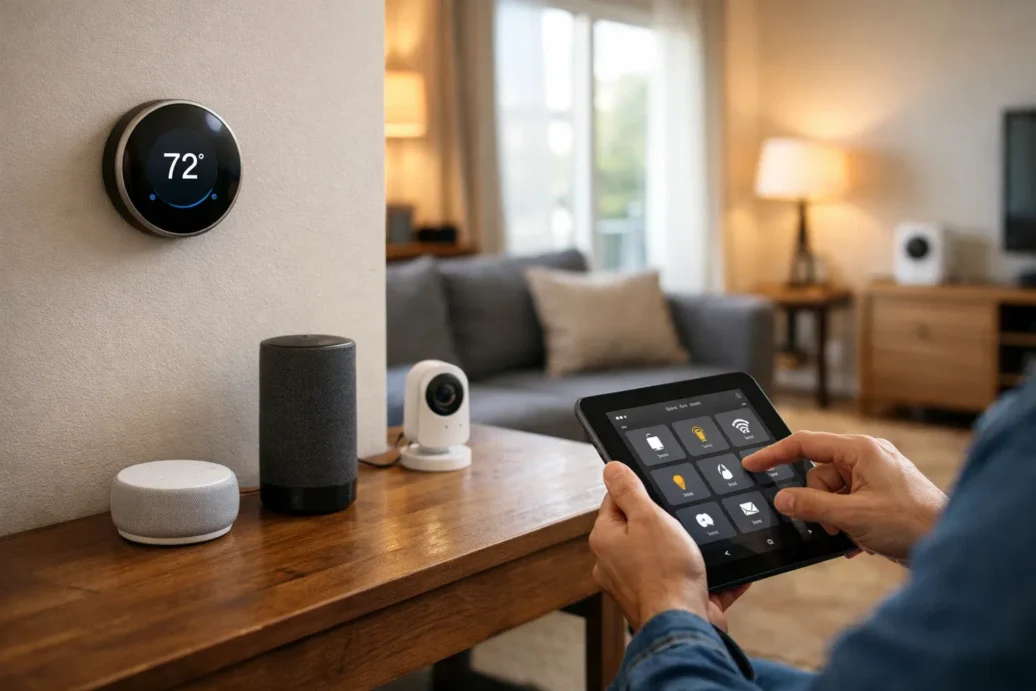
Welcome to your guide to creating a truly connected home in 2026. If you’ve ever dreamed of your lights turning on as you arrive, your thermostat adjusting itself, or your coffee maker starting before you’re out of bed, you’re in the right place. The world of smart home automation is no longer a futuristic fantasy; it’s a practical reality that makes daily life more convenient, secure, and efficient. Finding the best smart home automation systems can feel overwhelming, but it doesn’t have to be.
The concept is simple: connect various devices in your home to work together seamlessly. This technology has grown immensely, moving beyond simple voice commands to become an integral part of modern living. In my own home, automation has transformed my morning routine and given me peace of mind when I’m away. This article will guide you through everything you need to know to get started.
You will learn about:
- The essential features to look for in a system
- A detailed breakdown of the top systems available today
- The types of devices you can automate
- A step-by-step guide to setting up your first smart home
- Common mistakes to avoid for a smoother experience
Quick Overview
A smart home automation system is a network of hardware, communication, and electronic interfaces that work together to integrate devices in a home with each other. This technology allows you to control and automate functions like lighting, climate, entertainment systems, and security, often from a central point like a smartphone app or a smart hub. The primary goal is to enhance convenience, comfort, energy efficiency, and security for homeowners.
Table of Contents
- Key Features to Look for in a Smart Home Automation System
- Top 5 Best Smart Home Automation Systems in 2026
- Smart Home Devices You Can Automate
- Home Automation Technology Explained
- Setting Up Your Smart Home: Step-by-Step Guide
- Real-Life Experiences: How Smart Homes Transform Daily Life
- Pros and Cons of Smart Home Automation Systems
- Common Mistakes to Avoid When Setting Up a Smart Home
- Comparing DIY vs Professional Smart Home Installations
- Future of Smart Home Automation in 2026 and Beyond
- Conclusion – Choosing Your System
- FAQ – Smart Home Automation Systems
Key Features to Look for in a Smart Home Automation System
When you’re shopping for a system, it’s easy to get lost in the technical jargon. Based on my experience, focusing on a few core features will help you make the best choice for your needs. These are the non-negotiables I recommend to anyone starting their smart home journey.
First and foremost is compatibility. A great system should work with a wide range of smart home devices, not just those from one brand. This flexibility allows you to mix and match products to build a setup that fits your life and budget perfectly. You don’t want to be locked into a single ecosystem that limits your options down the road.
Voice control is another massive factor. The ability to command your home using Alexa, Google Assistant, or Siri is what makes automation feel truly magical. Check that the system integrates smoothly with your preferred smart assistant. Security and privacy should also be at the top of your list. Look for systems with strong encryption and clear privacy policies to protect your data.
Finally, consider the mobile app and the system’s scalability. A well-designed, intuitive app is your command center, so it needs to be reliable and easy to use. I’ve noticed that the best apps let you create complex automation routines effortlessly. And as your needs grow, you’ll want a system that can easily expand with new devices.
- Compatibility: Works with multiple device brands (lights, locks, thermostats).
- Voice Control: Seamless integration with major smart assistants.
- Security & Privacy: Strong encryption and transparent data policies.
- Mobile App: Intuitive control and easy routine creation.
- Scalability: Ability to add more devices in the future.
Top 5 Best Smart Home Automation Systems in 2026
Choosing the right ecosystem is the most critical decision you’ll make. After testing numerous setups, I’ve narrowed down the field to the top contenders for 2026. Each has its strengths, and the best one for you depends on your technical comfort, budget, and existing devices.
1. Amazon Alexa Ecosystem
Amazon’s Alexa, powered by Echo devices, remains a dominant force. Its biggest strength is the sheer number of compatible “Works with Alexa” devices, making it incredibly versatile. From lights to lawnmowers, you can control almost anything with your voice. Routines are easy to set up, allowing you to trigger multiple actions with a single command.
- Features: Massive device compatibility, easy-to-create routines, excellent voice recognition.
- Price Range: Low to high (starts with an affordable Echo Dot).
- Ideal Users: Beginners and those who want the widest selection of compatible smart home devices.
2. Google Home / Google Assistant
Google’s ecosystem excels at contextual awareness and natural language commands. If you’re already invested in Android and other Google services, this is a natural fit. Its integration with Nest products (thermostats, cameras) is seamless, providing a powerful, unified experience for climate control and security. I’ve found its ability to understand complex commands is slightly ahead of the competition.
- Features: Superior voice command understanding, tight integration with Nest and Android, strong multi-user support.
- Price Range: Low to high.
- Ideal Users: Android users and people prioritizing intelligent, context-aware voice control.
3. Apple HomeKit
For those embedded in the Apple ecosystem, HomeKit offers unmatched security, privacy, and a polished user experience. It runs locally whenever possible, reducing reliance on the cloud and enhancing response times. While its device compatibility has grown, it’s still more curated than Alexa or Google’s. The “it just works” philosophy is strong here.
- Features: Top-tier security and privacy, local control for speed and reliability, seamless integration with iPhone, iPad, and Apple Watch.
- Price Range: Mid to high (requires an Apple device as a hub, like an Apple TV or HomePod).
- Ideal Users: Apple users who prioritize privacy, security, and a seamless user interface above all else.
4. Samsung SmartThings
SmartThings is for the user who wants to go deeper. It supports a vast range of devices across different communication protocols like Zigbee and Z-Wave, not just Wi-Fi. This makes it one of the most powerful and flexible DIY platforms. While it has a steeper learning curve, the level of customization you can achieve is incredible.
- Features: Broad protocol support (Wi-Fi, Zigbee, Z-Wave), powerful automation engine, works with thousands of devices.
- Price Range: Mid-range (requires a hub).
- Ideal Users: Tech-savvy users and tinkerers who want maximum control and customization.
5. Hubitat Elevation
Hubitat is the champion of local control. Unlike most systems that rely on the cloud, Hubitat processes nearly everything on its local hub. This means your automations run instantly, and they keep working even if your internet goes down. It’s built for power users who want speed, reliability, and privacy.
- Features: Primarily local processing, extremely fast and reliable, great for complex automations.
- Price Range: Mid-range (one-time hub purchase).
- Ideal Users: Advanced users who value privacy and want automations to be instant and independent of the internet.
|
Feature |
Amazon Alexa |
Google Home |
Apple HomeKit |
Samsung SmartThings |
Hubitat Elevation |
|---|---|---|---|---|---|
|
Ideal User |
Beginners, Max Compatibility |
Android Users, AI Features |
Apple Users, Privacy-Focused |
Tinkerers, Power Users |
Privacy Advocates, Speed |
|
Device Support |
Excellent |
Very Good |
Good |
Excellent |
Excellent |
|
Primary Control |
Cloud |
Cloud |
Local & Cloud |
Cloud & Local |
Local |
|
Key Strength |
Device Selection |
Voice Intelligence |
Security & UI |
Flexibility |
Speed & Privacy |
Smart Home Devices You Can Automate
The magic of automation comes alive when you connect different devices. You can start small with just one or two and build from there. I started with smart lighting, and it completely changed the ambiance of my home.
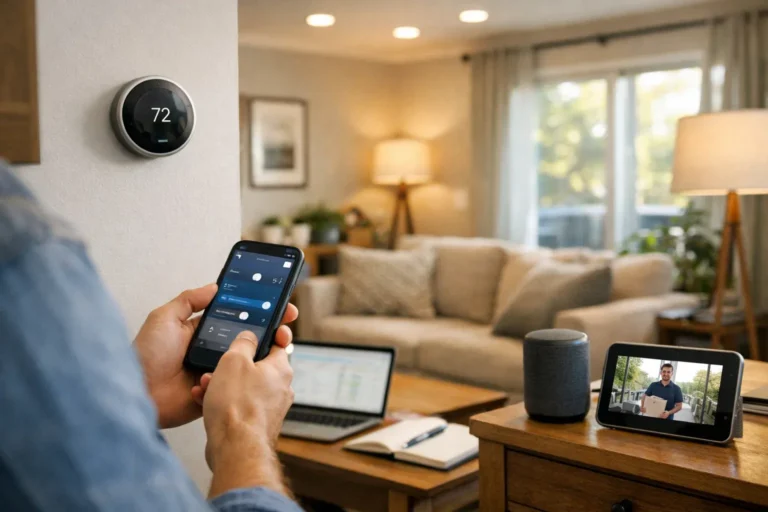
Smart lighting is the most common entry point. You can schedule lights to turn on at sunset, dim for a movie, or change color for a party. Smart thermostats, like the Nest Thermostat, learn your schedule and adjust the temperature to save energy. Smart locks and security cameras offer peace of mind, letting you grant access remotely and check in on your home from anywhere.
Here are some popular devices you can integrate:
- Smart Lighting: Philips Hue, Wyze Bulb
- Smart Thermostats: Google Nest, Ecobee
- Smart Security: Ring Doorbells, Arlo Cameras, August Locks
- Smart Plugs: Turn any “dumb” appliance into a smart one.
- Entertainment Systems: Control TVs and speakers with your voice.
- Sensors: Motion, smoke, and water leak sensors that trigger alerts or other actions.
Home Automation Technology Explained
Understanding the technology behind the scenes can help you troubleshoot issues and make smarter purchasing decisions. The most important concept to grasp is wireless protocols. Most devices use Wi-Fi, which is easy to set up. However, others use Zigbee or Z-Wave, which are low-power mesh networks designed specifically for smart homes. They are often more reliable than Wi-Fi for this purpose.
The Thread protocol is also gaining traction, offering the benefits of Zigbee/Z-Wave but with a more modern, IP-based foundation. Systems like SmartThings and Hubitat have radios to talk to these different protocols, which is why they are so flexible.
Another key distinction is cloud-based versus local control. Cloud-based systems (like Alexa and Google Home) send your commands over the internet to a server, which then sends the command back to your device. Local control systems (like Hubitat and HomeKit) process commands inside your home on a hub. This is faster, more private, and works without an internet connection.
Setting Up Your Smart Home: Step-by-Step Guide
Getting started is easier than you think. What works best is a methodical approach. Don’t try to automate your entire house in one weekend.
- Plan Your Goals: What do you want to achieve? Better security? Convenience in the living room? Start with one or two rooms and a clear objective.
- Choose Your Ecosystem: Decide between Amazon, Google, or Apple as your core. This choice is usually based on the phone you use or the smart speaker you prefer.
- Start with a Hub (or Smart Speaker): Your hub is the brain of the operation. An Amazon Echo, Google Nest Hub, or Apple TV can serve this role.
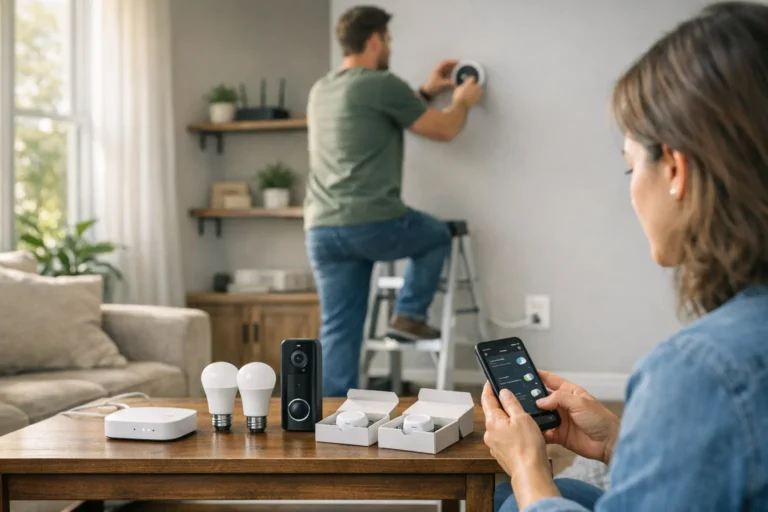
- Install Your First Devices: Begin with something simple like a few smart plugs or light bulbs. Follow the manufacturer’s instructions to connect them to your Wi-Fi and add them to your ecosystem’s app.
- Create Your First Automation Routine: Open the Alexa, Google Home, or Apple Home app. Create a simple routine, like “Good Morning,” that turns on a light and reads the weather.
- Test and Expand: See how it works. Once you’re comfortable, slowly add more devices, like a thermostat or smart lock, expanding your system over time.
Real-Life Experiences: How Smart Homes Transform Daily Life
The true value of a smart home isn’t about the tech; it’s about how it simplifies your life. In my experience, the small, everyday automations make the biggest difference. My “Good Morning” routine, for example, slowly fades my bedroom lights on, turns on the coffee maker via a smart plug, and starts my morning news briefing. It’s a gentle, stress-free way to start the day.
When I leave the house, a single command “Alexa, I’m leaving” arms my security system, turns off all the lights, and adjusts the thermostat to an energy-saving mode. This gives me incredible peace of mind. For entertainment, telling my system “It’s movie time” dims the lights, closes the smart blinds, and turns on the TV and soundbar. These are the moments that make you feel like you’re living in the future.
Pros and Cons of Smart Home Automation Systems
Like any technology, smart homes have both advantages and disadvantages. It’s important to have a balanced view before you invest. The convenience is undeniable, but it’s not without its challenges.
Pros:
- Convenience: Control your entire home with your voice or from an app.
- Energy Savings: Smart thermostats and lighting can significantly reduce your utility bills.
- Enhanced Security: Monitor your home remotely with cameras, sensors, and smart locks.
- Remote Access: Forget to lock the door? Do it from your phone, miles away.
Cons:
- Initial Cost: The upfront investment for devices and hubs can be high.
- Privacy Concerns: You are sharing data with large tech companies. It’s crucial to use strong passwords and check privacy settings.
- Compatibility Issues: Not all devices work together, which can lead to frustration.
- Complexity: Advanced automations can have a steep learning curve.
Common Mistakes to Avoid When Setting Up a Smart Home
I’ve made my share of mistakes along the way. Learning from them can save you a lot of time and money. The biggest pitfall is buying a bunch of devices on sale without a plan. You end up with a drawer full of incompatible gadgets.
Another common error is ignoring your home’s Wi-Fi network. Smart devices, especially cameras, need a strong, stable signal. If your network is weak, your smart home will be unreliable. I learned this the hard way and ended up upgrading to a mesh Wi-Fi system, which solved the problem instantly.
Finally, don’t neglect security. Many people use the default passwords and never update their device firmware. This is a huge risk. Always change default passwords, enable two-factor authentication, and keep your software updated to protect your home from potential threats.
Comparing DIY vs Professional Smart Home Installations
Should you set up your system yourself or hire a pro? For most people, a DIY approach is perfectly fine, especially if you’re starting with a major ecosystem like Alexa or Google Home. It’s cost-effective and allows you to learn at your own pace.
Professional installation is best for large, complex projects or for those who want a completely seamless, hands-off experience. Installers can handle complex wiring, integrate multiple subsystems (like HVAC and whole-home audio), and provide ongoing support. What works best is a hybrid approach: start DIY, and if you decide to undertake a major renovation or build, consider bringing in a pro.
Future of Smart Home Automation in 2026 and Beyond
The future of the smart home is less about commands and more about anticipation. AI-driven predictive automation will learn your habits and adjust your home environment without you even having to ask. Imagine your home knowing you’ve had a stressful day based on your calendar and wearables, and automatically creating a relaxing atmosphere when you arrive.
We’ll also see deeper integration with the world outside our homes, like connecting to the energy grid to use power when it’s cheapest. Voice and gesture controls will become even more natural, and the lines between different ecosystems will continue to blur, thanks to standards like Matter that promise universal device compatibility.
Conclusion – Choosing the Best Smart Home Automation System for You
Choosing the best smart home automation systems in 2026 comes down to understanding your own needs and preferences. There is no single “best” system for everyone. The key is to find the one that aligns with your lifestyle, budget, and technical comfort level. Don’t feel pressured to automate everything at once.
From my personal experience, the most successful smart homes are built gradually. Start with a solid foundation by picking one of the major ecosystems—Amazon Alexa, Google Home, or Apple HomeKit—that you feel comfortable with. This gives you a reliable base to build upon. From there, add devices that solve a real problem or bring you joy.
To wrap it up, here is my final advice:
- Focus on compatibility to avoid being locked into one brand.
- Prioritize a system with a user-friendly app and reliable voice control.
- Start small with a few useful devices and expand over time.
- Always consider the long-term scalability and support for the ecosystem you choose.
Building a smart home is a marathon, not a sprint. By following this guide, you can create a connected home that is not just intelligent, but also genuinely helpful and tailored to you.
FAQ – Smart Home Automation Systems
What is the most reliable smart home system in 2026?
For ultimate reliability, systems with local control like Hubitat Elevation or Apple HomeKit are top choices. They process automations inside your home, so they still work if the internet is down. For general consumer use, both the Google Home and Amazon Alexa ecosystems are also highly reliable for cloud-based control.
Can I mix devices from different brands in one smart home setup?
Yes, absolutely. This is one of the main goals of ecosystems like Amazon Alexa, Google Home, and Samsung SmartThings. They act as a central controller that allows devices from hundreds of different brands to work together. Look for “Works with Alexa” or similar labels when shopping.
How secure are smart home devices from hacking?
Security varies by brand, but it has improved significantly. To stay safe, choose reputable brands, always change the default password during setup, enable two-factor authentication on your accounts, and keep your device’s firmware updated. Using a secure Wi-Fi network with a strong password is also critical.
Do smart home systems save money on energy bills?
Yes, they can. A smart thermostat is the best example, as it can optimize your heating and cooling to save 10-15% on energy bills. Smart lighting and smart plugs also contribute by ensuring lights and appliances are turned off when not in use.
What smart home devices are essential for beginners?
The best devices for beginners are smart plugs, smart light bulbs, and a smart speaker (like an Amazon Echo or Google Nest Mini). These are affordable, easy to set up, and provide immediate, tangible benefits that demonstrate the power of home automation.
About the Author